
Install & Pair AMN Sentinel
Follow the verified setup flow below on both the child's phone and the parent's phone.
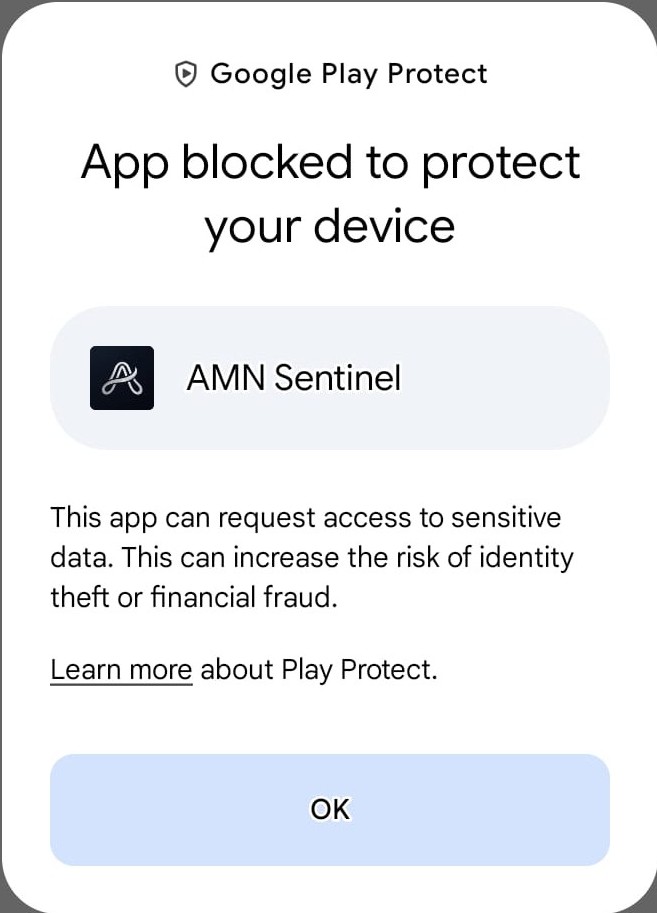
AMN Sentinel uses powerful Android permissions (Device Administrator and Accessibility) so that it cannot be removed or bypassed easily. It is also installed from our website instead of the Play Store. For both reasons, Google Play Protect may show a warning. Check that your file is genuine on the Download page, then watch the video on this page to complete the installation.
The video stream paused or could not be reached on your current connection.
After installing, turn Play Protect back ON (shown at the end of the video).
After installing
Updating an existing installation? Installing a newer official APK over your current version automatically preserves your pairing and Master PIN.
Phone Brand Settings (Background Lock & Restricted Settings)
Android manufacturers apply aggressive battery killers that can pause safety services unless exempted. Select your child's phone brand below:
Samsung (One UI · Hardware)
Xiaomi / Redmi / POCO (HyperOS & MIUI)
Realme / OPPO / OnePlus (Realme UI & ColorOS)
Vivo / iQOO (Funtouch OS)
Tecno / Infinix / itel (HiOS & XOS)
Symphony / Walton (Android BD & MediaTek Builds)
Google Pixel (Stock Android 13–17)
Verify your download (Version, SHA-256 & Signing Certificate)
Before installing any security APK outside the Play Store, confirm its cryptographic digest matches our published release: